App blocker for iPhone.
Lock your phone. Your apps stay shut.
Clam is a screen time blocker that locks the apps that steal your time, for exactly as long as you choose. One tap. Real blocking. The timer stays on your Lock Screen.
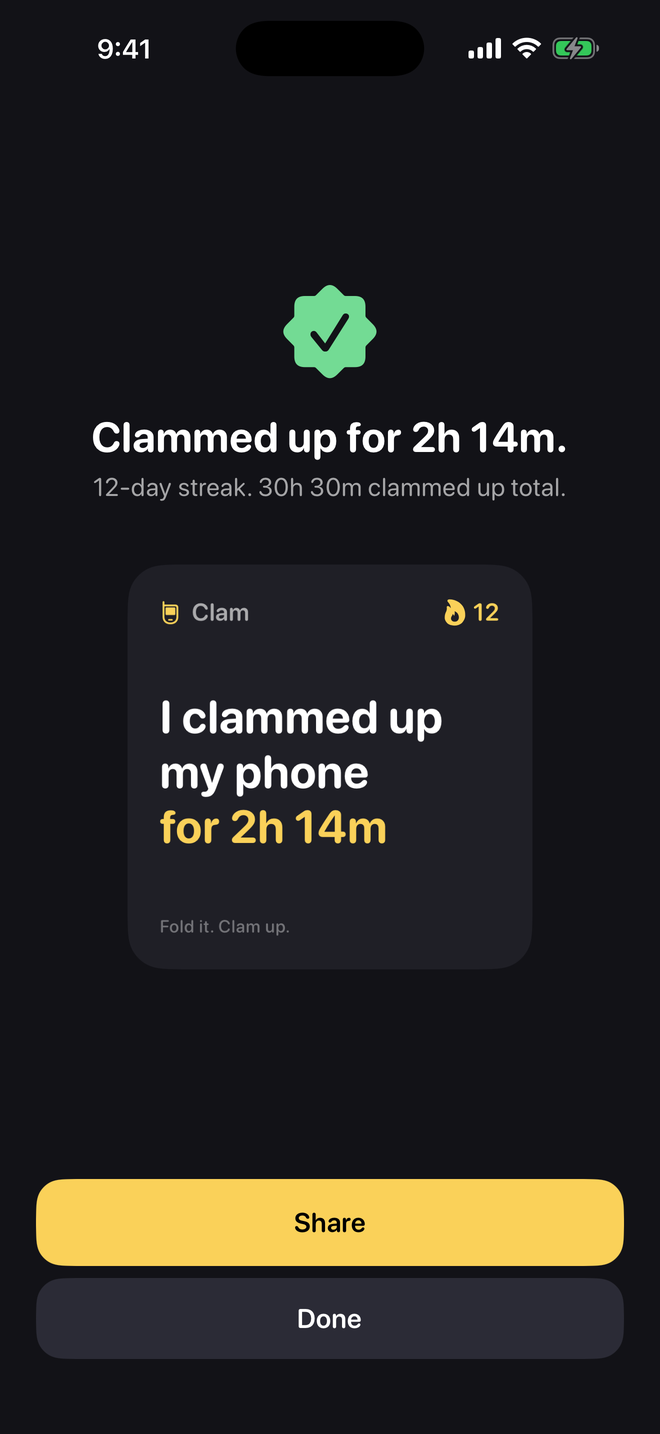
Block apps on your iPhone with one button
Most blockers want schedules, profiles and a settings tour. Clam is for the moment you decide to stop scrolling and get something done.
Real blocking
Built on Apple's Screen Time API. A locked app opens to a block screen, not a reminder you can tap past.
One button
Pick your apps once. After that, every session is one tap and a length.
Giving up costs something
Quitting early takes a 10-second hold and resets your streak. Enough to make you think twice.
Your data stays on your phone
No account, no sign-in. Your app list, sessions and streak live on the device. Clam can't see what you do inside your apps.
How it works
There's one button. That's the whole app.
Pick the apps that steal your time.
Once. Instagram, TikTok, X, YouTube, whatever it is for you. Uses Apple's Screen Time, so it's real blocking, not a Shortcut you can skip.
Tap Clam up. Pick 25, 50 or 90 minutes.
Or any length from 15 minutes to 4 hours. Siri, the Action Button and a Home Screen widget can do it too.
Lock your phone.
The countdown sits on your Lock Screen. Open a locked app and you get a clam, not a feed. Quitting early takes a 10-second hold and resets your streak.
What it looks like
Setup is a few questions and one permission. Then it's the button.
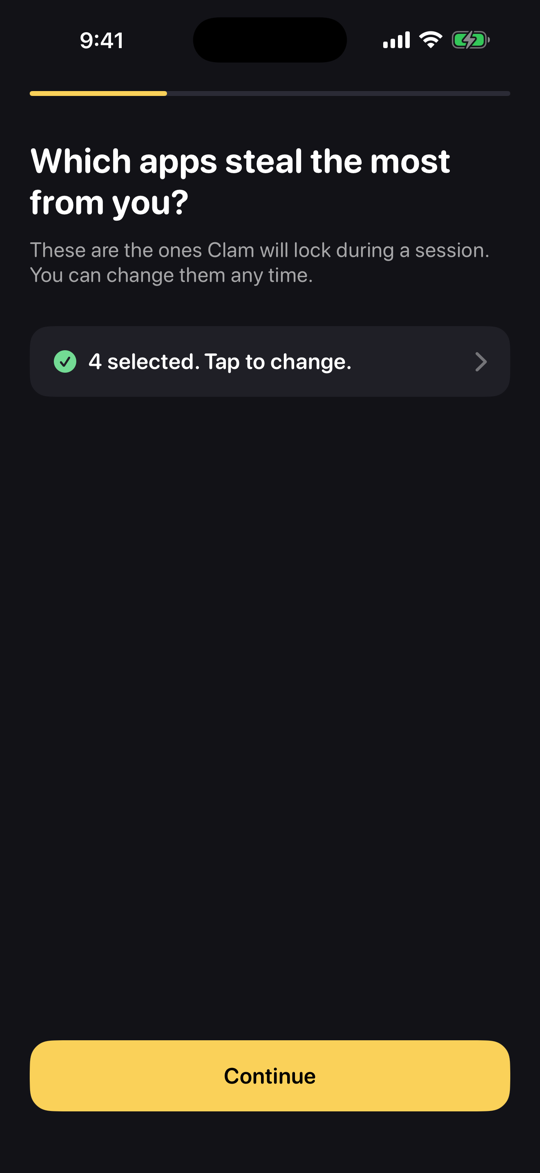
Choose the apps to lock. Change them any time. 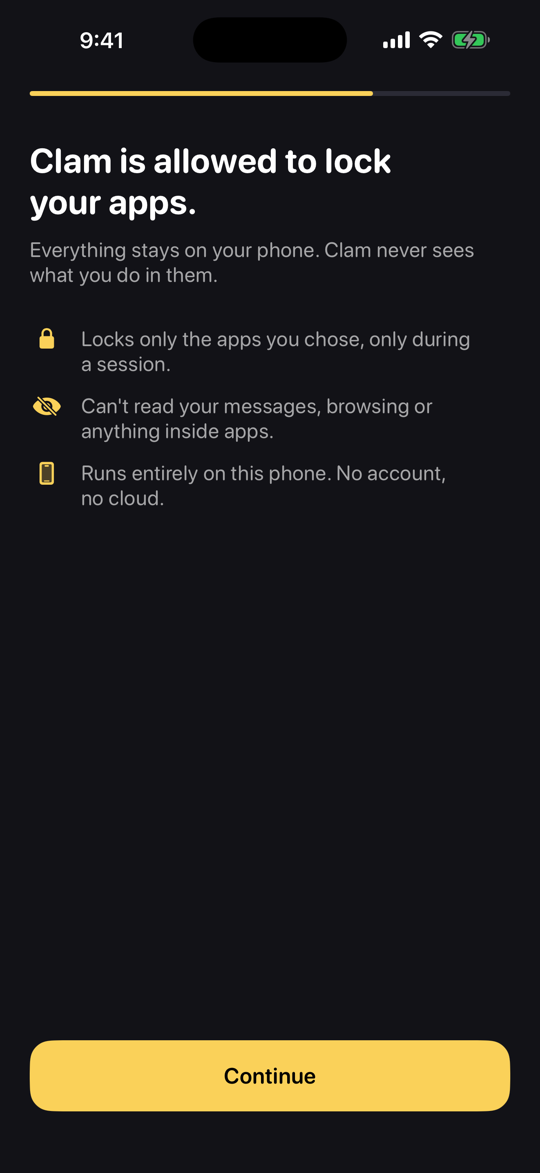
One Screen Time permission. Your app list stays on the phone. 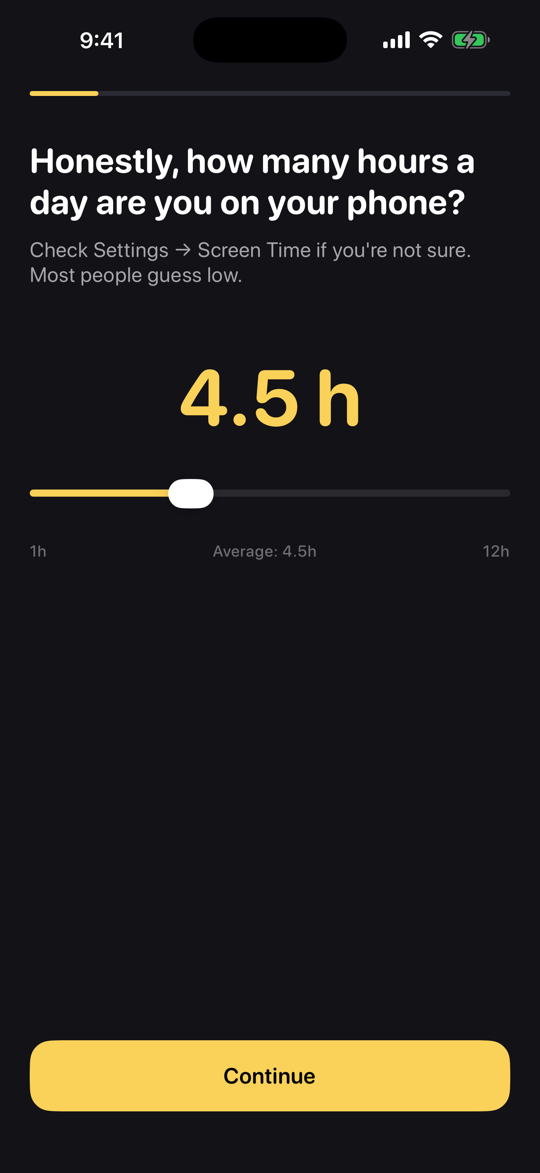
Tell it your daily hours to see what a year adds up to.
What you get back
If your Screen Time says 4.5 hours a day, that's
68 days
a year. Full 24-hour days. Cut that by a third and you get
23 days
back. Every year. It's arithmetic, not a promise: Clam runs it on your own number during setup.
Works on every iPhone with iOS 17
Locking the phone is the commitment. The countdown stays where you can see it without unlocking.
Lock Screen and Dynamic Island
The session timer is a Live Activity. It shows on the Lock Screen, and in the Dynamic Island on iPhones that have one.
Start it without opening the app
Say "Clam up my phone" to Siri, put it on the Action Button, or use the Home Screen widget.
Built for iPhone Duo
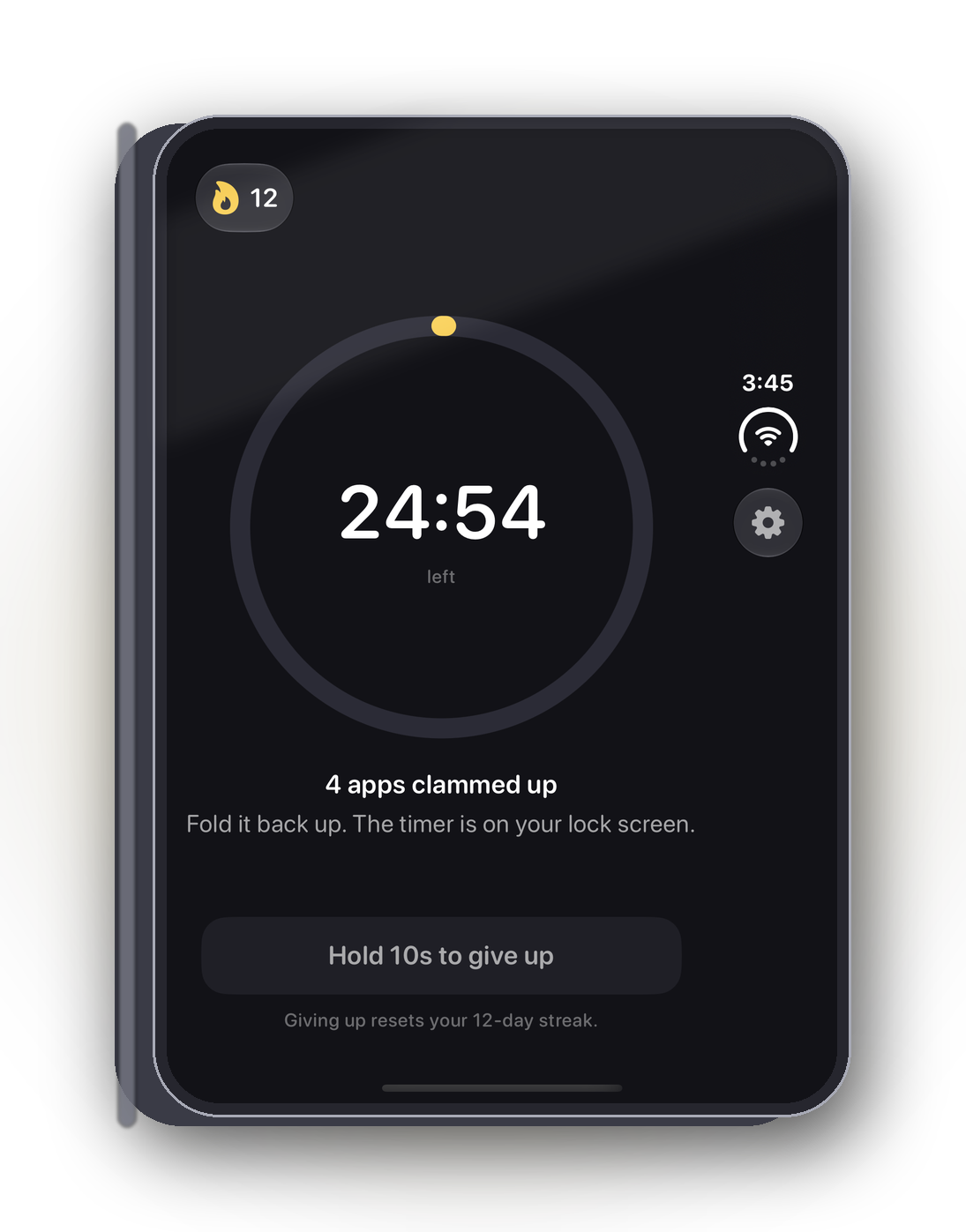
Fold the phone shut and the countdown stays on the outer display while your apps stay locked. Closing the phone is the commitment, and Clam is built around that motion.
Pricing
Try it free for 7 days on the yearly plan. Cancel any time.
About $1.67 a month. 7-day free trial. Best value.
For trying it out one month at a time.
Lifetime. For people who hate subscriptions.
Every plan is the full app
Unlimited sessions, any apps, streaks, the widget, Siri and the Action Button.
Prices in US dollars; the App Store shows your local price. Subscriptions renew automatically unless cancelled at least 24 hours before the period ends. Details in the terms of use.
Private by design
An app that watches your apps is the last thing you should need in order to use your phone less.
No account, no server of ours
Your app list, sessions and streak live on your iPhone and are deleted with the app.
Clam can't see your apps
Apple hands Clam opaque tokens for the apps you pick. It can't read which apps they are or anything inside them.
The full version is short: read the Clam privacy policy.
Guides
How app blocking on iPhone actually works, including the free ways built into iOS.
Questions
Straight answers, including the unflattering ones.
How do I block apps on my iPhone with Clam?
Pick the apps once. Then tap Clam up, choose a length from 15 minutes to 4 hours, and lock your phone. Until the timer ends, the apps you picked open to a block screen instead of a feed.
Can Clam block TikTok, Instagram and YouTube?
Yes. You choose from Apple's own app picker, so any app on your iPhone can go on the list: TikTok, Instagram, YouTube, X, games, whatever it is for you. You can change the list any time.
Is it real blocking, or a reminder I can tap past?
Real blocking. Clam uses Apple's Screen Time API, the same system behind the built-in app limits. The block screen has one button, and it says OK, I'll wait. There is no ignore-limit button.
Can I just delete the app to get around it?
Yes. Every blocker on iOS has that limit, and any that claims otherwise is lying. Clam adds friction, not walls: a 10-second hold to quit and a streak you'll lose.
What if I need a locked app during a session?
Hold the give up button for 10 seconds. The session ends, your apps unlock, and your streak resets. That's the deal.
Does Clam see what I do in my apps?
No. Apple's Screen Time framework gives Clam opaque tokens for the apps you pick. Clam can't see which apps they are and can't read anything inside them. Your app list, sessions and streak never leave your phone. There's no account and no server of ours. The only thing sent off the device is anonymous usage counts, described in the privacy policy.
Why does it need Screen Time permission?
That's the only way to actually lock apps on iOS. Clam asks for it once, for you alone (not a family or child setting), and uses it only during a session you started.
How much does Clam cost, and which iPhones does it work on?
The yearly plan is $19.99 with a 7-day free trial. Monthly is $3.99. Lifetime is $29.99, paid once. Clam works on any iPhone running iOS 17 or later. The countdown shows on the Lock Screen, and in the Dynamic Island on iPhones that have one.
Something else? Email support@getclam.app.
Lock it. Clam up.
One tap now. Your apps back when the timer says so.